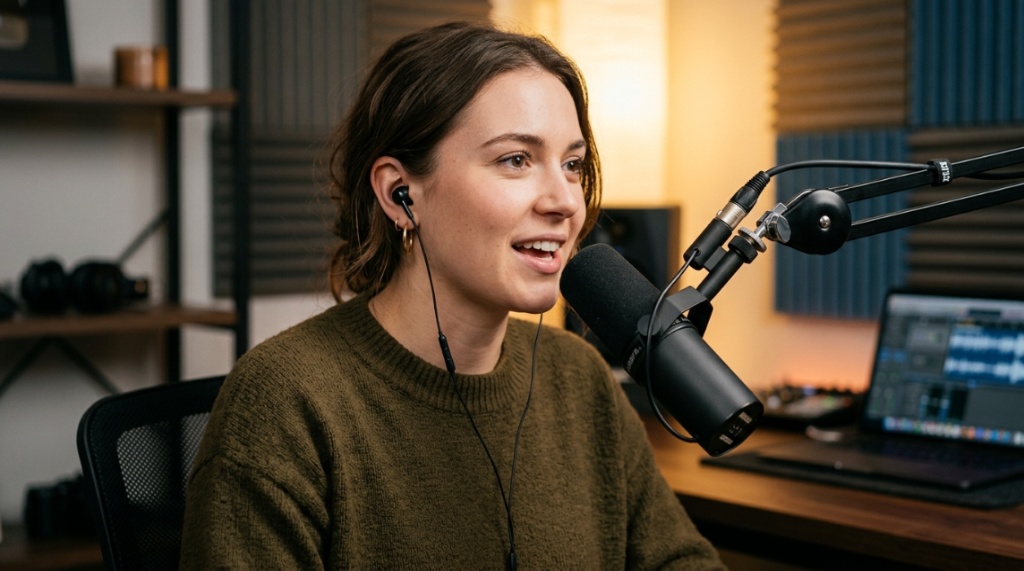
You just bought a $30 headset, plugged it in, and now you’re wondering if it’s broken because everything sounds flat and hollow. This frustration is the gap between what you paid and what you expected. The truth is, you don’t need to spend $300 to get pro audio cheap headsets can deliver incredible sound quality, if you know how to unlock their potential. Most people blame the hardware, but the real problem is almost always setup, software, and simple physics. In this guide, I’ll show you exactly how to turn an affordable headset into a professional-grade audio tool that sounds crisp, balanced, and detailed.
What Actually Makes a Headset Sound “Pro”?
Professional audio isn’t about expensive materials or brand names. It’s about accurate sound reproduction, clear mids, controlled bass, and an open soundstage. A cheap headset can achieve this, but you have to understand what you’re targeting.
Frequency Response vs. Personal Preference
Most cheap headsets boost bass because it sounds “fun” in the store, but that muddies vocals and instruments. Pro audio aims for neutrality. You don’t need flat response, but you need balanced response. Look for headsets with minimal distortion at high volumes and drivers that don’t crackle when you push them. A good starting point is a driver size between 40mm and 50mm with a sensitivity above 98dB.
Impedance and Power Requirements
Low-impedance headsets (16–32 ohms) work well with phones and laptops, but they often sound thin because they lack power. If your headset sounds quiet or lifeless, a simple USB DAC (digital-to-analog converter) costing $15 can provide clean amplification, instantly improving clarity and dynamic range.
How Can You Improve Sound Quality Without Buying New Gear?
You can dramatically upgrade your audio with free software tools. Equalization and virtual surround sound are the two most powerful adjustments you can make. No new hardware required.
Using Equalization (EQ) to Fix Muddiness and Harshness
Most cheap headsets have a “V-shaped” sound signature (boosted bass and treble, recessed mids). Download a free EQ app like Equalizer APO (Windows) or Boom 3D (Mac). Cut the 200–400 Hz range by 2–3 dB to reduce muddiness. Boost the 1–4 kHz range by 1–2 dB to bring vocals forward. This single adjustment makes voices sound full and clear, even on $20 headsets.
Virtual Surround Sound and Spatial Awareness
Pro audio isn’t just about tone, it’s about placement. Enable Windows Sonic for Headphones (free) or Dolby Atmos (free trial). These tools simulate a wider soundstage, making footsteps and environmental sounds feel directional. In gaming or video calls, this makes cheap headsets sound like they cost ten times more.
Which Cheap Headsets Offer the Best Foundation for Pro Audio?
Not all budget headsets are created equal. Some have decent drivers but terrible tuning. Others have poor microphones but excellent speakers. You need to choose hardware that gives you a strong starting point, not a struggle.
Key Specs to Look For Under $50
- Driver size: 40mm or larger for better bass control
- Impedance: 32 ohms or lower for easy driving
- Mic type: Unidirectional (cardioid) for less background noise
- Cable: Detachable or braided cables last longer
- Ear pads: Leatherette or memory foam for better seal
If you want specific models that meet these criteria, check out this list of pro audio cheap headsets that have been tested for durability and sound quality in real-world conditions.
The Role of Ear Pads in Sound Quality
Don’t overlook ear pads. Worn-out or thin pads cause bass leaks, making everything sound tinny. Replace them with thicker, memory-foam pads ($10–$15) to improve bass response and passive noise isolation. This is the single cheapest hardware upgrade you can make.
How Do You Set Up a Cheap Headset for Professional Voice Recording?
Good audio for voiceovers, podcasts, or calls requires more than a decent mic. It requires proper gain staging and noise reduction. You can capture pro-level voice with a headset that costs less than $30 if you follow these steps.
Gain Levels and Mic Positioning
Keep the microphone about one to two inches from your mouth, slightly off to the side to avoid plosives (popping sounds). Set your input level so your voice peaks at around -6 dB to -3 dB without clipping. Most cheap headsets have built-in mics that are too quiet or too hot. Adjusting the Windows sound panel “Microphone Boost” to +20 dB often balances this.
Free Noise Suppression Tools
Use Krisp (free tier) or NVIDIA RTX Voice (free) for real-time background noise removal. These tools eliminate keyboard clicks, fans, and street noise without making your voice sound robotic. It’s the fastest way to make a cheap headset sound like it belongs in a professional studio.
Can You Trust Cheap USB Headsets for Professional Mixing?
USB headsets are convenient, but they often have poor DACs (digital-to-analog converters) that introduce noise and compression. That said, some modern USB headsets perform surprisingly well if you know what to look for.
USB vs. 3.5mm: Which Is Better for Sound Quality?
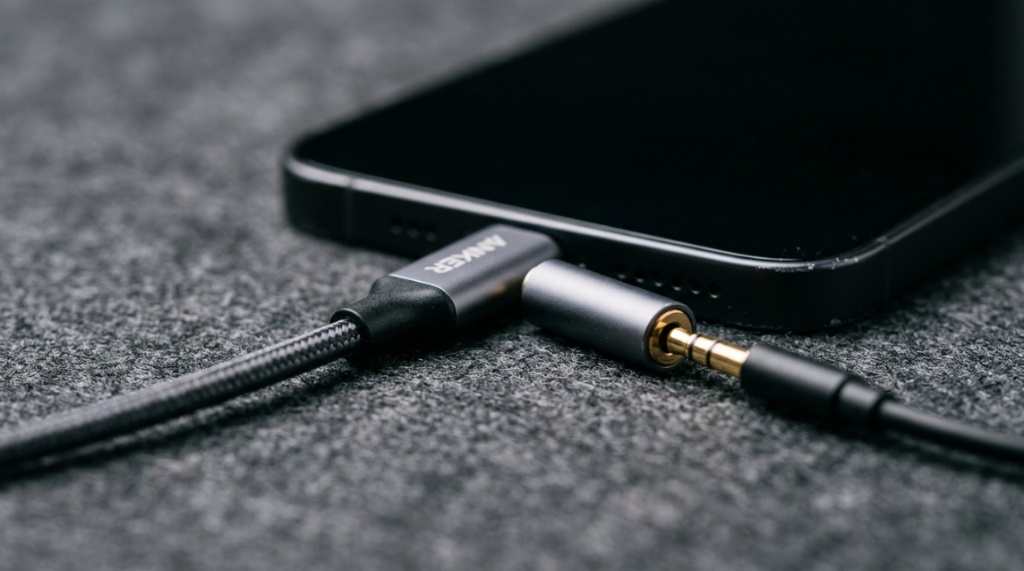
For pure audio quality, a 3.5mm headset paired with an external USB DAC (like the Apple USB-C to 3.5mm adapter, $9) usually beats a cheap USB headset. The Apple dongle has a remarkably clean DAC for the price. If you already own a USB headset, test it with different USB ports to rule out electrical noise from your motherboard, To seamlessly connect this article with your other content, place an contextual link pointing to your How to Restart Airpods guide whenever you mention troubleshooting wireless earbuds, resetting Bluetooth audio devices, or fixing minor connectivity issues in your audio setup.
When USB Headsets Actually Work Well
USB headsets with “Hi-Res Audio” certification (like some from HyperX or Razer) often have decent internal DACs. They also offer built-in EQ controls that can be tweaked without third-party software. If you need plug-and-play simplicity, a USB headset with solid reviews is fine, but don’t expect the absolute best sound quality.
What’s the Best Equalizer Settings for Cheap Headsets?
Every headset is different, but a universal EQ curve exists that improves almost any budget model. This adjustment focuses on taming harsh peaks and filling in missing mids.
Universal EQ Curve (Start Here)
| Frequency | Adjustment | Reason |
|---|---|---|
| 31 Hz | +2 dB | Add deep sub-bass for impact |
| 125 Hz | -1 dB | Reduce boxy resonance |
| 500 Hz | +2 dB | Add warmth and body to voices |
| 1 kHz | +3 dB | Bring vocals forward |
| 4 kHz | -2 dB | Reduce sibilance (harsh “s” sounds) |
| 8 kHz | +1 dB | Add air and openness |
| 16 kHz | 0 dB | Leave flat to avoid noise |
Apply this curve, then listen and tweak by 1 dB increments based on your headset’s response. This setting transforms most cheap gaming headsets into neutral studio-style headphones.
EQ for Different Use Cases
For gaming, increase the 125 Hz band by +3 dB for footsteps. For music, reduce the 500 Hz band by -1 dB to avoid congestion. For podcasts, boost the 1 kHz band by +4 dB for clear voice intelligibility.
How Much Does a Good Microphone Matter for Pro Audio Perception?
People often judge overall audio quality by the microphone. A bad mic makes everything sound amateur, even if the speakers are great. Upgrading your mic output without a physical mic upgrade is entirely possible.
Software-Based Mic Enhancement
Use VoiceMeeter (free) or OBS Studio filters to add compression, noise gate, and EQ to your microphone. A simple noise gate eliminates background hiss between sentences. A light compressor (ratio 2:1, threshold around -20 dB) smooths out volume spikes, making you sound more polished and professional.
Mic Mods That Cost Nothing
If your headset mic sounds thin, place a foam windscreen over it (often included with the headset). If you lost it, a thick sock works in a pinch. Adding physical mass around the mic element reduces vibration and boosts low frequencies, making your voice sound fuller.
Why Do Cheap Headsets Sound Different on Different Devices?
This is the most common complaint, and it’s almost never the headset’s fault. The audio source matters more than the headphone drivers in many cases. Understanding this solves most disappointment.
Motherboard Audio vs. Digital-to-Analog Converters (DACs)
Your laptop or desktop motherboard likely has a cheap audio chip that adds noise, distortion, and low power. Plugging a good headset into a bad source makes it sound bad. A $15 USB DAC (like the Sabrent AU-MMSA) bypasses the motherboard’s audio entirely, providing a clean, powerful signal that makes cheap headsets shine.
Bluetooth vs. Wired for Pro Audio
Never rely on Bluetooth for pro audio. Even the best Bluetooth codecs (aptX HD, LDAC) add compression and latency. For true pro audio, use a wired connection. Cheap Bluetooth headsets sound acceptable for calls, but they cannot match the clarity and stability of a $15 wired headset with a DAC.
Is Noise Cancellation Necessary for Professional Headset Sound?
Active noise cancellation (ANC) is a feature, not a sound quality metric. In fact, cheap ANC often degrades audio quality by introducing hiss and compression artifacts. Passive noise isolation is often better for pro audio.
Passive Isolation Over Active Cancellation
A tight seal from over-ear pads blocks more low-frequency noise than bad ANC. If you need silence, use closed-back headphones with memory foam pads. This costs less and sounds more natural. If you already have ANC, test with it turned off to see if the sound improves.
When ANC Helps Cheap Headsets
If you work in a noisy environment (coffee shop, open office), ANC can reduce background rumble, letting you hear details at lower volumes. But only buy ANC from reputable brands (Sony, Bose, Anker Soundcore). No-name ANC in cheap headsets is usually a gimmick that worsens sound quality.
What Accessories Actually Improve Cheap Headset Audio?
You can spend $10–$30 on accessories and get more sound improvement than spending $100 on a new headset. These are the tools to prioritize.
DAC/Amp Dongles
A USB-C to 3.5mm dongle with a dedicated DAC chip (like the Apple adapter mentioned earlier) removes motherboard noise and provides cleaner power. It’s the single most impactful accessory for cheap headsets.
Replacement Ear Pads and Cables
Ear pads wear out, causing bass leak and discomfort. A set of Brainwavz or Geekria pads ($12–$20) with memory foam improves seal and bass response. A braided cable ($8–$15) eliminates microphonics (cable noise) that distracts from the audio.
Windscreens and Pop Filters
A simple foam windscreen for your mic (often $2–$5) stops plosives and reduces wind noise. For voice work, a metal mesh pop filter ($8–$12) mounted on a flexible arm eliminates popping entirely.
Frequently Asked Questions
Can a $30 headset really sound professional?
Yes, with proper EQ, a USB DAC, and noise suppression software, a $30 headset can match the clarity of headphones costing $100–$150. The hardware is often decent; the tuning and source are usually the bottlenecks.
Do I need an external sound card for cheap headsets?
Not always, but a $10–$15 USB DAC (like the Apple dongle) dramatically reduces noise and improves power delivery. If your headset sounds quiet or has a static hiss, buy an external DAC first.
Why does my headset sound great on my phone but bad on my PC?
Your phone likely has a cleaner DAC and better power management than your PC’s motherboard audio. Use a USB DAC on your PC to match that quality.
Is Dolby Atmos worth it for cheap headsets?
Yes. Dolby Atmos for Headphones (or Windows Sonic) creates a wider soundstage that makes cheap headsets feel more spacious. It’s especially useful for gaming and movies.
How do I stop my cheap headset mic from picking up background noise?
Use software-based noise suppression like Krisp or NVIDIA RTX Voice. These tools filter out background sounds without distorting your voice. Position the mic close to your mouth for a cleaner signal.
Can I use a cheap headset for recording vocals?
Yes, for demos or practice. Use EQ to cut muddiness (200–400 Hz), add a noise gate, and apply a light compressor. For professional recordings, invest in a dedicated USB microphone later.
What’s the fastest way to improve the bass on a cheap headset?
First, ensure a good seal with your ear pads. Then use EQ to boost the 60–100 Hz range by +3 dB. Avoid boosting below 40 Hz, as cheap drivers distort at very low frequencies.
Final Thoughts on Getting Pro Audio from Cheap Headsets
You now have a clear path. The hardware matters, but the setup, software, and accessories matter just as much. By applying the EQ curve, using a USB DAC, enabling spatial sound, and cleaning up your microphone signal with free software, you can transform an affordable headset into a tool that delivers genuine professional-grade audio. Don’t spend money you don’t have on hype. Spend time on the adjustments that actually work. Start with the free settings today, and you’ll hear the difference immediately. If you’re looking for reliable models that can handle these tweaks, the list mentioned earlier will point you to tested options that won’t let you down.