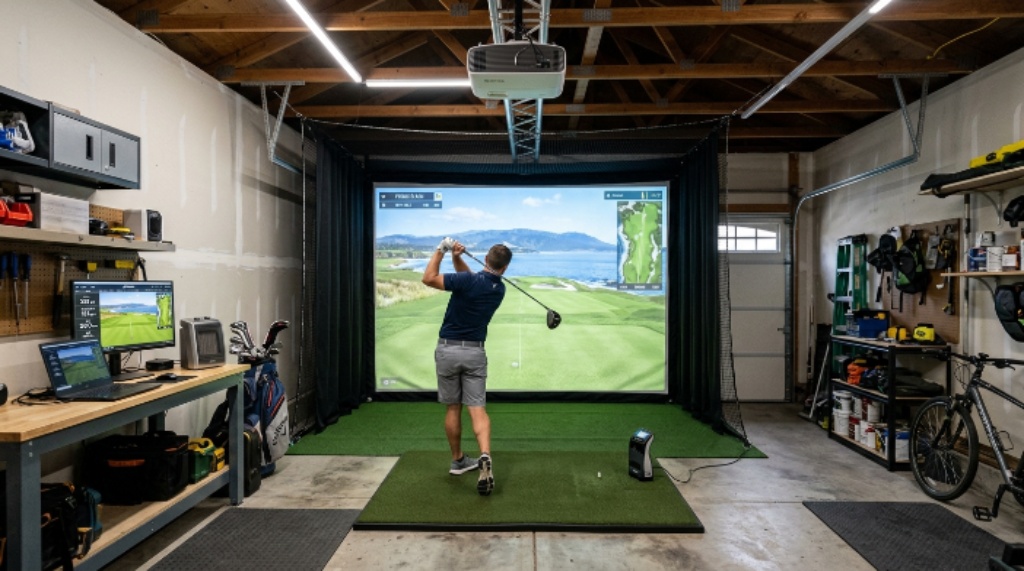
Golf does not have to stop when the weather turns bad. With the right equipment and a good laptop, you can practice your swing, play virtual courses, and track your progress — all from the comfort of your home. Setting up a home golf simulator sounds complicated, but it is more straightforward than most people expect. This guide covers everything you need to know, from choosing the right space to picking the best laptop for the job.
Why More Golfers Are Bringing the Game Indoors
The popularity of home golf simulators has grown rapidly over the past few years. Golfers at every level are realizing that year-round practice leads to faster improvement. You no longer have to wait for the weekend or travel to a driving range. Instead, you can squeeze in a session before work or after dinner.
Additionally, simulator technology has improved dramatically. Modern systems offer accurate ball tracking, realistic course graphics, and detailed swing analysis. The experience feels genuinely close to being on a real course. However, the quality of your setup depends on the choices you make from the very beginning.
Planning Your Space Before Buying Anything
The first step is finding the right room. You need enough space to swing a club freely without worrying about hitting walls, ceilings, or furniture. Here are the minimum dimensions most experts recommend:
- Length: at least 15 to 20 feet from the hitting position to the screen
- Width: at least 10 feet to allow a full swing on both sides
- Ceiling height: at least 9 feet, though 10 feet is more comfortable
A garage, basement, or spare bedroom can work well. Measure your space carefully before purchasing any equipment. Nothing is more frustrating than buying a screen that does not fit or discovering your ceiling is too low after everything arrives.
Once you have confirmed the dimensions, consider the flooring. A good hitting mat protects both your clubs and the floor beneath. It also creates a consistent hitting surface, which matters for accuracy.
Essential Equipment for Your Home Golf Simulator
A home golf simulator has several key components. Each one plays an important role in the overall experience.
The Impact Screen
The impact screen is the large white surface that displays the virtual course and absorbs the ball after each shot. Look for a screen made from durable woven fabric. It should be thick enough to absorb impact without tearing, yet smooth enough to display a clear image.
The Projector
A short-throw projector works best in most home setups. It allows you to place the projector close to the screen without creating a shadow. Look for a projector with at least 3,000 lumens of brightness. This keeps the image clear even in a room with some ambient light.
The Hitting Mat
Choose a mat that mimics real fairway turf as closely as possible. The mat should have a realistic feel underfoot and absorb the shock of repeated divot-style swings. A high-quality mat reduces fatigue and protects your wrists and elbows over time.
The Launch Monitor
This is arguably the most important piece of equipment in any indoor golf setup. A launch monitor tracks your ball speed, launch angle, spin rate, and club path. It sends this data to your simulator software in real time. Therefore, the accuracy of your virtual shots depends directly on how well your launch monitor performs.
There are two main types. Camera-based systems use high-speed cameras to track the ball from impact. Radar-based systems use Doppler radar to follow the ball through the air. Both can deliver excellent results. Your choice will depend on your budget and the size of your space.
Choosing the Right Laptop for Your Golf Simulator
Your laptop is the brain of the entire system. It runs the simulator software, processes data from the launch monitor, and sends the image to the projector. Choosing the wrong laptop leads to laggy graphics, dropped data, and a frustrating experience overall.
Processing Power
Golf simulator software is demanding. You need a laptop with a fast processor. Look for at least an Intel Core i7 or AMD Ryzen 7 chip from 2023 or newer. These processors handle complex graphics and real-time data without slowing down.
Graphics Card
A dedicated graphics card makes a significant difference. Integrated graphics — the kind built into the processor — often struggle with high-resolution course rendering. A dedicated GPU from NVIDIA or AMD delivers smooth, realistic visuals. Aim for at least an NVIDIA RTX 3060 or equivalent.
RAM
More RAM means smoother multitasking. Your laptop should have at least 16 GB of RAM. If you plan to run multiple applications at once — such as a swing analysis tool alongside the simulator — 32 GB is even better.
Storage
Simulator software and course libraries can take up a lot of space. A solid-state drive (SSD) with at least 512 GB of storage is recommended. SSDs load data much faster than traditional hard drives, which reduces the time between shots.
Connectivity
Check that the laptop has the right ports. You will likely need an HDMI or DisplayPort output to connect to the projector. Additionally, a USB-A port connects to most launch monitors. Some systems use Bluetooth or Wi-Fi, but a wired connection is generally more reliable.
Setting Up Your Launch Monitor Correctly
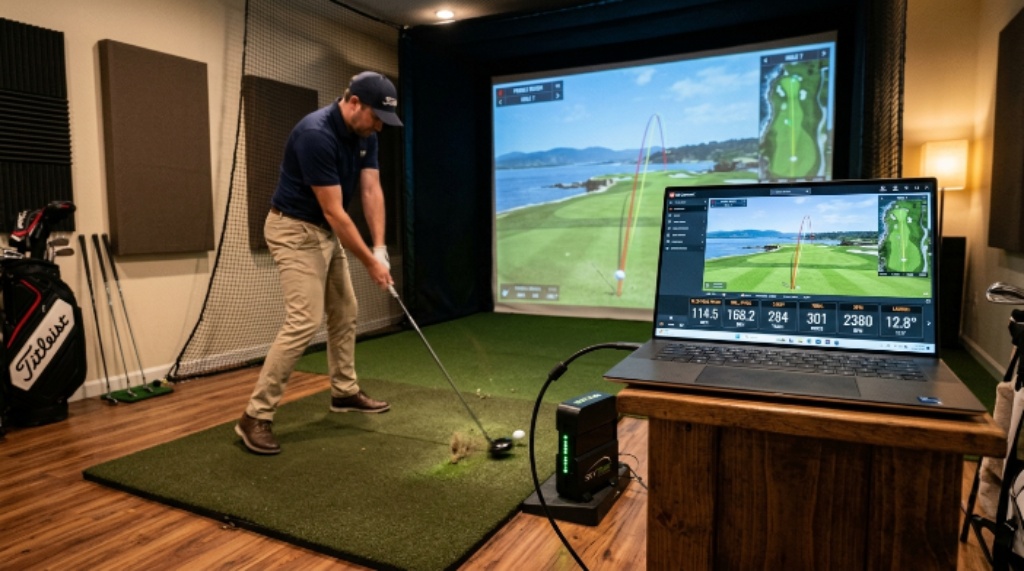
A proper launch monitor setup is critical for accurate data. Placement varies depending on the type of system you own. However, most manufacturers provide clear guidelines in the instruction manual.
For camera-based systems, position the device just behind and to the side of the hitting mat. Make sure the cameras have a clear, unobstructed view of the impact zone. For radar-based systems, place the device a few feet behind the ball, aligned with your target line.
After placement, calibrate the device according to the software instructions. Most modern systems walk you through this process step by step. Take your time during calibration. A well-calibrated monitor delivers consistent, reliable readings every time you step up to the mat.
Installing and Configuring Simulator Software
Popular simulator software options in 2026 include E6 Connect, GSPro, and TGC 2019. Each offers a different library of courses, features, and pricing models. Most are compatible with the major launch monitor brands.
Install the software on your laptop before connecting the launch monitor. Once the software is running, follow the on-screen steps to link your device. The software will usually detect the monitor automatically. However, if it does not, check the manufacturer’s website for updated drivers.
Spend some time exploring the settings menu. Adjust graphics quality based on your laptop’s performance. Start at a medium setting and increase it gradually until the frame rate feels smooth. A consistent frame rate of at least 60 frames per second gives the most realistic experience.
Fine-Tuning Your Indoor Golf Setup
Once everything is connected and running, take a few warm-up shots. Check that the ball data on screen matches what you expect. For example, a well-struck 7-iron should produce realistic carry distances and spin numbers.
If something feels off, revisit your launch monitor placement and calibration. Small adjustments in positioning can make a big difference. Additionally, check the lighting in the room. Too much direct light on the screen can wash out the image. Soft, indirect lighting works best.
Over time, you will learn the quirks of your system. Every indoor golf setup has its own personality. The more time you spend with it, the more natural the experience becomes.
Conclusion
Setting up a home golf simulator is a rewarding project that pays off every time you step onto the mat. Start by measuring your space carefully and choosing equipment that fits the room. Invest in a capable laptop with enough power to run your simulator software smoothly. Place and calibrate your launch monitor setup with care, because accurate data is what makes the whole experience worthwhile. Finally, take time to fine-tune your system after everything is connected. With patience and the right choices, you will have a reliable, enjoyable indoor golf setup that keeps your game sharp no matter the season.
Frequently Asked Questions
How much does a home golf simulator cost in total?
The total cost varies widely. A basic setup with an entry-level launch monitor, screen, projector, and software can start around $2,000 to $3,000. High-end setups with professional-grade equipment can exceed $15,000. A mid-range setup between $5,000 and $8,000 offers a solid balance of accuracy and value for most home golfers.
Can I use a desktop computer instead of a laptop?
Yes. A desktop computer can work well, especially if it has a powerful GPU. However, a laptop offers more flexibility. You can move it easily, connect it to different displays, and use it away from the simulator room when needed.
Does the ceiling height really matter that much?
Absolutely. A ceiling that is too low forces you to shorten your swing, which affects both your practice quality and the accuracy of the data. If your ceiling is under 8.5 feet, you may need to limit practice to shorter irons and putting.
Which simulator software is best for beginners?
E6 Connect is often recommended for beginners because of its user-friendly interface and wide compatibility with popular launch monitors. GSPro is another strong option, particularly for golfers who want a large course library at a lower subscription cost.
How long does it take to set up a home golf simulator?
Most people complete the physical setup — screen, projector, mat, and monitor — in one day. Software installation and calibration usually take a few additional hours. Plan for a full weekend if you are doing everything yourself for the first time.
Related Topics:
What Is the Best Estimate for the Mass of a Bicycle? [Complete Guide for Riders & Enthusiasts]
How to Measure Mountain Bike Size Simply Do It